Your network's training on your sales staff's smartphones: short lessons, guided paths and progress always in view. Branded with your company logo, in each person's own language.
Free for iPhone and Android. Access is reserved for staff enabled by their own company: to roll Best Seller out on your network, request a demo.
Four design choices that matter when training has to reach dozens of stores the same way, and people who don't all speak the same language.
The app carries your brand's logo. Sales staff open their own company's training, not a vendor's generic course: that is the difference between an in-house tool and just another app.
Each user picks the app language from the selector at the top. Useful for teams with staff of different nationalities and for stores abroad.
The same video exists in more than one language, and you switch version from the player with one tap. Same content, same service standard across the whole network, whatever the viewer's language.
Your company's administrator creates and manages the accounts: there is no open sign-up. New team members get access, people who leave are deactivated and can no longer see the content.
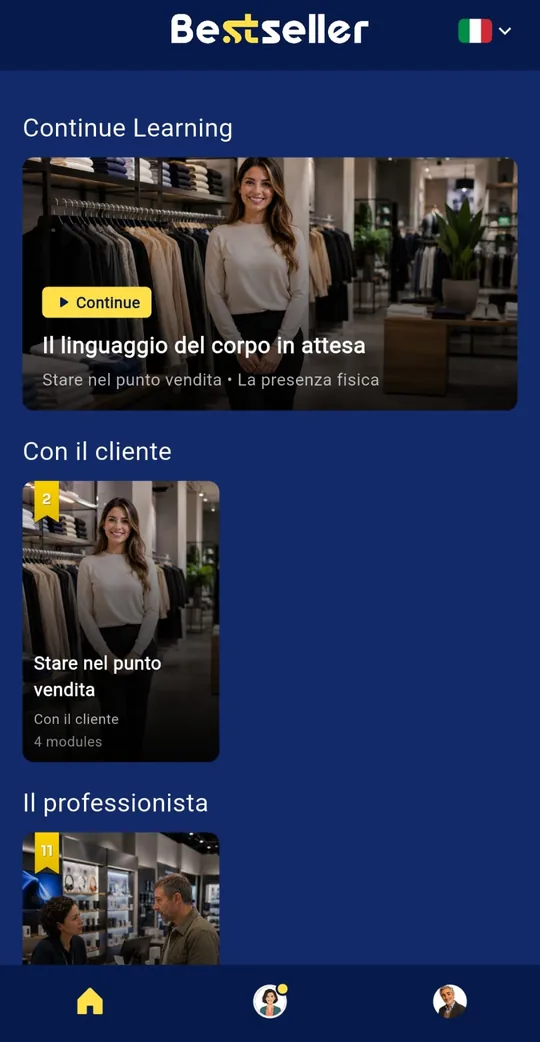
Real screens, from a demo account. What sales staff see every day.
Lessons are grouped by subject, and the button at the top picks up where you left off.
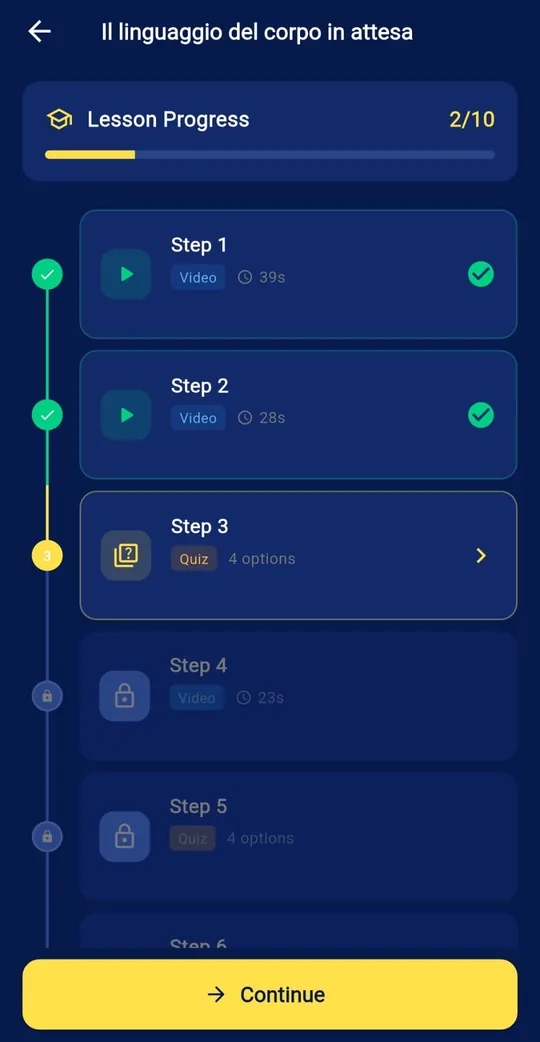
Each lesson is a sequence of short videos and multiple-choice quizzes. The next step unlocks once the previous one is done.
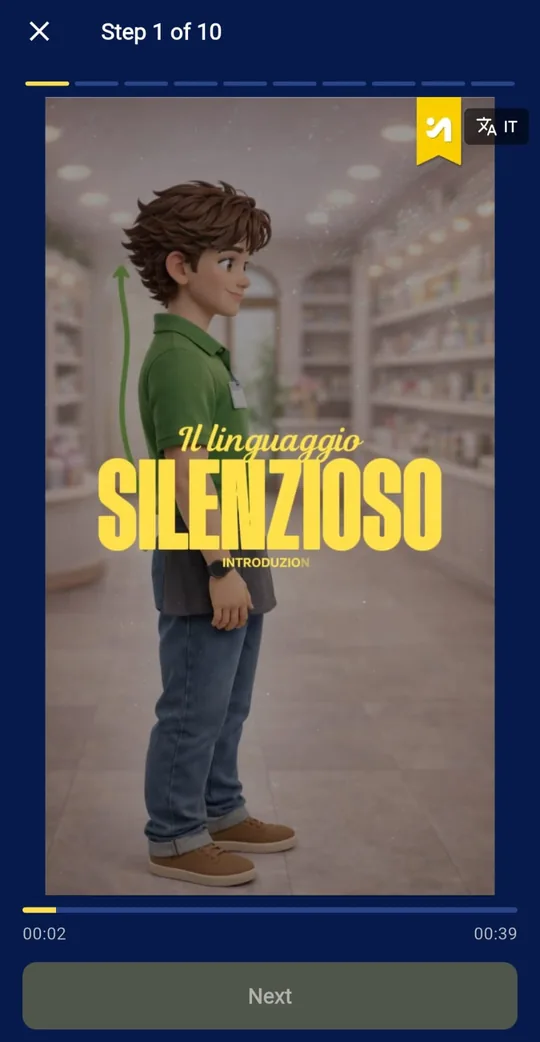
Shot for the smartphone. The button at the top right switches to the version in another language.
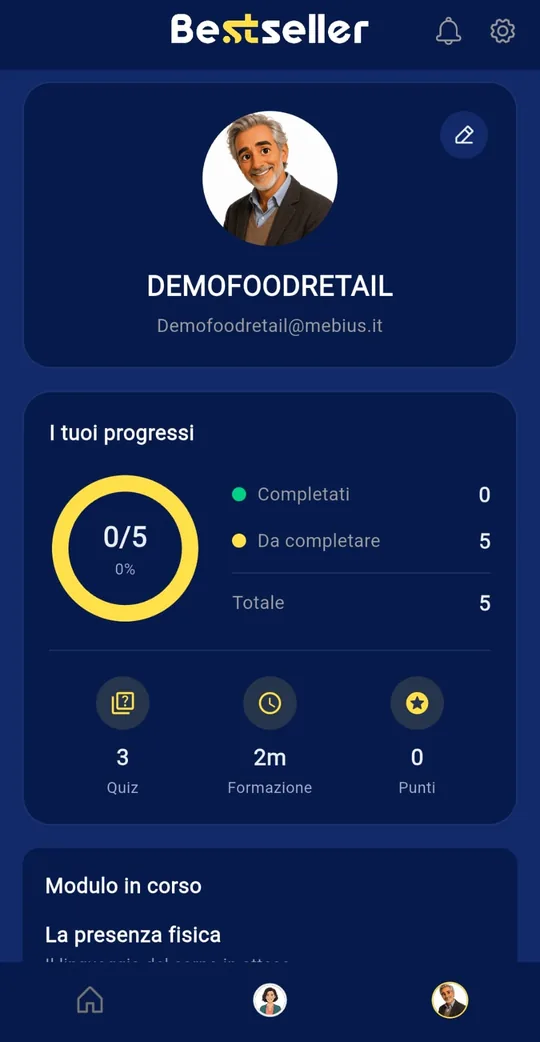
Completed modules, quizzes taken, training minutes and points. Managers see the same data, for the whole network.
Nobody is left out, and rolling out across the network has no technical barriers.
On iPhone and Android, built for daily use: five minutes between customers, on a break, before opening.
The same content and the same progress from the smartphone browser, with a link. Nobody is forced to download anything.
Progress by store and by person, accounts and content, with nothing to install. How the dashboard works.
If your company already uses Best Seller, install the app and sign in with the credentials your administrator gave you.
Request a personalized demo and we'll show you how it works for your network. You'll see the platform, the numbers, and how your sales staff would actually use it.
Phone
02.45.07.11.08